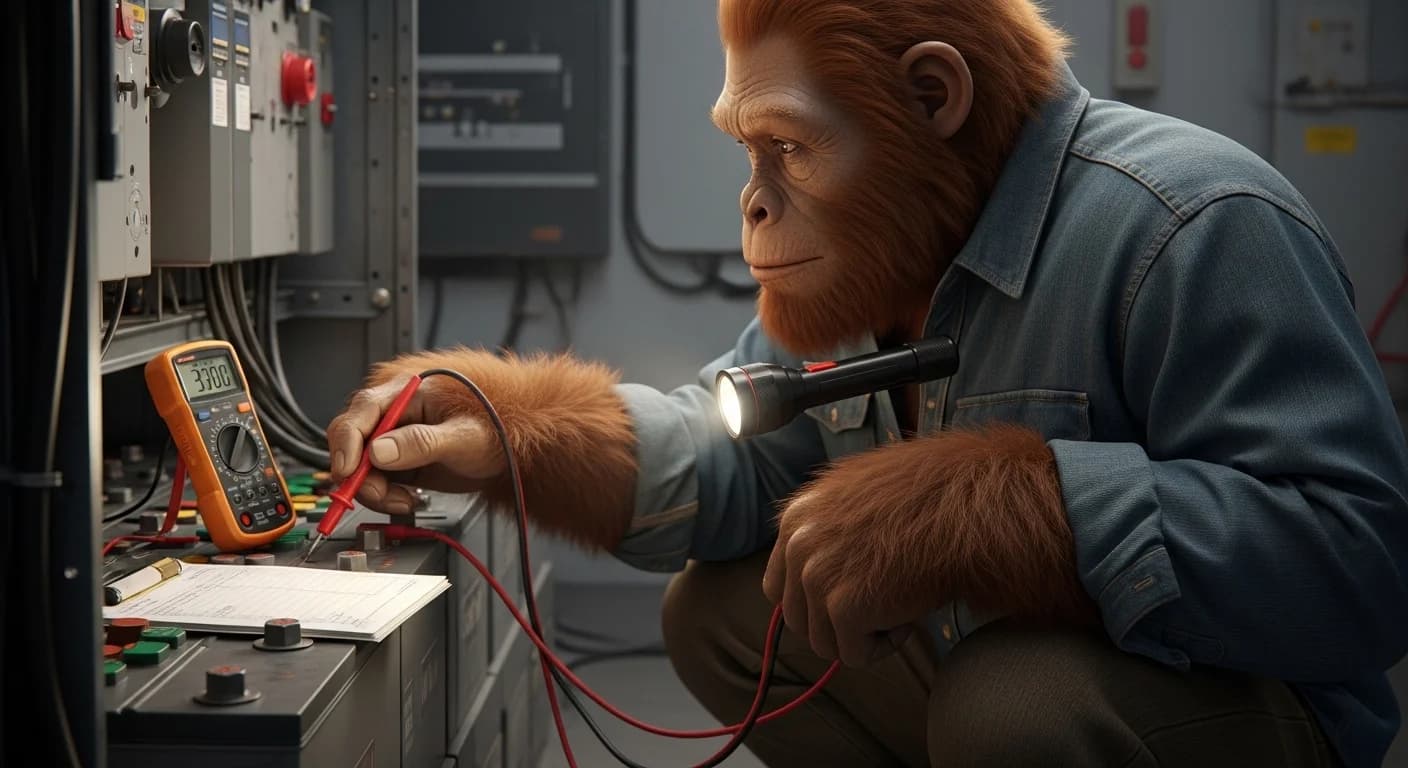
TL;DR — Diagnose an inherited solar system in five phases
Phase 1: Document everything. Nameplates. Monitoring app passwords. Error codes. Current utility bills. Do this before you touch a single wire.
Phase 2: Get the right toolkit.
- Free tier: phone camera, notebook
- Budget tier (~$50-80): Kaiweets Digital Multimeter + Kaiweets Non-Contact Voltage Tester
- Pro tier (~$200-300): Fluke 117/323 Kit — a multimeter and clamp meter in one. Skip the standalone Kaiweets multimeter if you buy this. Keep the Kaiweets voltage tester either way — it's a different job, not a duplicate.
Phase 3: Walk the system in order. Array → wiring → charge controller → batteries → inverter. Strategic order matters. Don't skip ahead.
Phase 4: Measure against your baseline. Compare what you find to what you documented in Phase 1.
Phase 5: Identify the failure. Now you know where the leak is.
The number that matters: 80% of inherited-system bill problems aren't failed equipment. They're loose connections. Dirty panels. Tripped breakers. Cheap fixes hiding behind expensive fears.
She bought the house for the solar. The previous owner had walked her through the garage on closing day, pointed at the inverter, and showed her three years of utility bills that all read zero dollars owed. The system worked. The paperwork proved it. The house was hers four weeks later.
The first electric bill arrived in November. Forty-seven dollars. The second arrived in December. Eighty-one dollars. By February the bill was a hundred and twenty-eight dollars and her husband was asking what she'd actually bought.
Nothing on the system looked wrong. Nothing was visibly disconnected. The panels were on the roof. The inverter hummed. The batteries showed green lights. Everything looked the same as it did on closing day. The system was lying to her.
That cabin is in central North Carolina. The previous owner's number had been disconnected. The contractor who installed the array had retired. There was no manual in the file cabinet. This article exists for her, and for every homeowner who bought a house specifically because of the solar setup and is now watching the utility bill creep back to where it used to be.
Who this is for
The homeowner in North Carolina who bought the house because the solar setup paid for itself and is now staring at a power bill that shouldn't exist.
The retired couple in Arizona who took over a property from an estate and inherited a system with no manual, no installer contact, and no password to the monitoring app.
The veteran in rural Tennessee whose father-in-law passed and left behind a beautifully installed array that nobody in the family knows how to operate.
The Florida family who bought a hurricane-prep home with a 10 kW array and watched production drop 30% in two years.
The Texas first-time solar owner who bought a property because the listing photo showed solar panels and now can't figure out why the system isn't covering the AC load.
The Oregon homesteader who picked up an off-grid cabin at auction and walked into a battery shed she's afraid to touch.
The Pennsylvania renter-turned-buyer whose new house came with solar and a binder of warranty paperwork from companies that may or may not still exist.
For years, the solar industry assumed every system owner was the original installer.
For years, manuals lived in a drawer that moved with the previous owner.
For years, monitoring apps required passwords that nobody wrote down.
This guide assumes you don't understand electricity yet. By the end of Phase 1 you'll know more about your inherited solar system than the previous owner did.
Why an inherited solar system quietly fails
The inherited solar system that worked perfectly for the previous owner can produce thirty percent less for you without a single visible failure. Here's what's happening underneath.
Panel degradation accumulates silently. Solar panels lose roughly 0.5% of rated output per year under normal conditions. A 10-year-old array runs at 95% of rated output. A 15-year-old array runs at 92%. That's normal. According to National Renewable Energy Laboratory long-term field testing, panel degradation is predictable and bounded — if your output is dramatically lower than the math suggests, the problem is somewhere else.
Loose connections corrode over time. Every wire-to-terminal junction is a potential leak. Five years of seasonal expansion, contraction, vibration, and humidity loosens connections that were torqued perfectly at install. A connection that's 95% tight delivers 95% of the power. A connection that's 70% tight delivers a fraction.
Battery banks age out of sync with the rest of the system. Lead-acid banks last 3-5 years. LiFePO4 lasts 10-15. If the previous owner installed batteries in year 2 of an 8-year-old array, your batteries are nearing end-of-life right when you take ownership.
Charge controller settings drift. Some controllers store their voltage profiles in volatile memory. A momentary grid loss, a tripped breaker, a firmware glitch, or a power surge can reset a controller to factory defaults — settings calibrated for a different battery chemistry than what's actually wired up.
Monitoring degrades to invisible. The previous owner had the app. The previous owner spotted the small problems. You have no app, no baseline data, no way to know that production has been dropping by 5% per year for three years.
WATTSON'S INHERITED SYSTEM TRUTH: Eight times out of ten, the bill problem on an inherited solar system isn't a failed component. It's a loose lug, a dirty panel, a tripped breaker, or a charge controller running on factory defaults instead of the right profile. I had a client in North Carolina once whose bill dropped from $150 to $12 after twenty minutes of work — a soft brush, a torque wrench, and a controller reset. Don't assume your inherited system is broken. Assume it's leaking. Then find the leak.
The industry sold you 'set it and forget it.' Nobody mentioned what happens after years of normal wear and tear.
Phase 1: Document everything before you touch anything
This is the phase most inherited solar system owners skip. Don't. The five minutes you spend documenting before you start fixing saves you from creating new problems on top of the existing one.
The rule for Phase 1 is simple: cameras and pens only. No screwdrivers. No multimeters. No touching anything.
What to document
Photograph every nameplate. Every component in the system — solar panel, inverter, charge controller, battery, transfer switch, disconnect — has a sticker or stamped plate with the manufacturer, model number, and serial number. Photograph every one. Get clear shots where the text is readable. These photos are your map. With a model number, you can download the manual from the manufacturer's website in two minutes.
Photograph the entire system architecture. Walk the property and photograph every wire run, every junction box, every disconnect, every conduit termination. You're building a visual map of how power flows from panels to batteries to inverter to the house. Photograph the breaker panel and the labels on every breaker.
Record current status indicators. Every electronic component has a status display or LED. Write down what each one shows right now — voltage readings, percentage charge, fault codes, blinking patterns. A solid green light means one thing. A blinking red light means another. Count the blinks if a unit is blinking.
Pull the utility bill history. Get 24 months of electric bills if you can. Compare the same month year-over-year (May 2024 vs May 2025) to see when the production started dropping. The pattern of when the bills changed tells you when the system started failing.
Find or recreate the documentation paper trail. Look in the file cabinet. Check the kitchen drawer. Search the email account if you got it during the transfer. Look for: installation invoice, warranty cards, monitoring app credentials, electrician's contact info, permit paperwork, interconnection agreement. Even one of these documents accelerates the next phases dramatically.
Document the array layout. Count the panels. Note their orientation (south, southwest, etc.) and tilt angle. Look for shade — trees that have grown, new buildings, anything that wasn't there during install. Take a photo of the array at 10 AM, noon, and 4 PM on a sunny day to see how shade moves across the panels.
What you'll know by end of Phase 1
After Phase 1 you'll have:
- A full photographic inventory of the system
- Model and serial numbers for every component
- Current status readings for every electronic device
- A baseline of when production started dropping (from utility bills)
- Whatever paperwork exists
That's the foundation. Every subsequent phase builds on it.
Diagnose your inherited solar in one walkthrough.
Wattson's Inherited Solar Diagnostic Worksheet is the exact print-and-carry sheet used on first-visit consults. Document the system, find the leaks, stop paying for power you're already making.
GET THE WORKSHEET →Phase 2: The toolkit you actually need
Diagnosing an inherited solar system doesn't require an electrician's full bench. It requires three tiers of tools that match the depth you're willing to go.
Free tier — what you already own
These cost zero dollars. Every homeowner has them already.
- Smartphone with camera. Documenting nameplates, photographing wire runs, recording shade patterns, capturing fault codes. Use the phone you already carry.
- Notebook and pen. Phase 1 documentation. Voltage readings as you take them. Time-stamped observations. A simple paper notebook beats a notes app for solar diagnostic work because you can sketch the system layout in the margin.
- A bucket of water and a soft cloth. Cleaning the panels is the single highest-return action on most inherited systems. Dirty panels can lose 10-30% of rated output. Most homeowners never clean them because they don't know it matters.
- A handheld mirror. Looking at the back of panels, behind boxes, under racking — without crawling into tight spaces.
The free tier alone solves about a third of inherited-system problems. Clean panels, document baselines, look for obvious damage.
$50 tier — the meaningful upgrade
These three tools cost about fifty dollars combined and unlock real diagnostic capability.
- Non-contact voltage tester (about $15). A pen-shaped tool that beeps near live wires without you touching anything. Tells you whether a circuit is energized before you put a screwdriver near it. Non-negotiable safety tool for anyone working around a solar system.
- Digital multimeter (about $25-$35). The Klein Tools MM400 or the AstroAI TRMS 6000 are honest budget options. A multimeter measures DC voltage at the panels, DC voltage at the batteries, AC voltage at the inverter output, and continuity in cables. Most inherited-system diagnostics happen with a multimeter and a notebook.
- Soft-bristle solar panel cleaning brush (about $15). A telescoping brush with a soft head designed not to scratch glass. Worth it if you have ground-mount panels or low-angle roof panels you can reach safely.
The $50 tier handles voltage diagnostics, basic continuity testing, and serious cleaning. Most homeowners stop here and let a pro handle anything beyond it.
$200 tier — for the committed DIYer
These tools earn their cost only if you plan to maintain the system long-term yourself.
- Clamp meter (about $80-$120). The Fluke 117 is the industry standard at the upper end of this tier. A clamp meter measures current flowing through a wire without disconnecting anything — clip it around the cable, read the amps. Essential for diagnosing whether each string of panels is producing what it should, or whether one circuit is dragging the rest down.
- Infrared thermometer or thermal camera (about $30 for IR gun, $200+ for thermal camera). Hot spots on solar panels and connection terminals reveal failed cells and loose connections. An IR gun pointed at the back of each panel reveals temperature differences that map directly to performance differences.
- Battery hydrometer (about $15, lead-acid only) or digital battery tester (about $30). For lead-acid banks, a hydrometer measures specific gravity in each cell and reveals which cells are failing. For LiFePO4 banks, a battery management system app or a digital tester does the same job.
- Torque wrench with insulated bits (about $50). Most loose connections on inherited systems happen because nobody ever re-torqued them. A proper torque wrench reaches the manufacturer's spec exactly — not too tight (cracks the lug), not too loose (allows arcing).
The $200 tier turns a homeowner into a real diagnostician. With these tools and the right knowledge, you can troubleshoot 90% of inherited-system issues without calling anyone.
WATTSON'S TOOLKIT TRUTH: The biggest mistake first-time inherited-system owners make is spending $400 on a thermal camera before they've ever cleaned a panel or checked a torque spec. Start at the free tier. Solve what the free tier can solve. Move to the $50 tier when you hit something the free tier can't fix. Move to the $200 tier only if the $50 tier ran out of answers and you genuinely want to maintain this system yourself for the next decade.
Phase 3: The strategic diagnostic order
The order matters. Walk the inherited solar system in the direction power flows — sun goes in at the panels, electricity comes out at the outlets — and your diagnostic order walks that same path.
Step 1: The panels (the source)
Stand under the array or look at the roof from the ground. You're checking three things:
- Are they clean? Bird droppings, tree sap, pollen, dust. Dirty panels lose 10-30% of rated output. If you can see the dirt from the ground, the panels are producing 70-90% of what they should.
- Are they shaded? Walk the property at three different times of day. Trees grow. New buildings appear. Shade that didn't exist when the system was designed steals huge amounts of production.
- Are any visibly damaged? Cracked glass, delamination (a milky appearance under the surface), bubbling in the encapsulant, burn marks. One bad panel in a series string drags the whole string down.
Pass: clean glass, no shade, no visible damage. Fail: any of the above.
Step 2: The wiring (the path)
Follow the wires from the array down to the disconnect. You're looking for:
- Exposed copper. Insulation cracked by UV, gnawed by squirrels, frayed by friction. Any visible copper is a fire risk and a current leak.
- Drooping or sagging. Wires should be tied off and routed cleanly. Sagging wires get caught, abraded, and damaged.
- Junction boxes. Open boxes, loose covers, water intrusion. Boxes should be sealed and the covers should be tight.
- Disconnect switch. Should be clearly labeled, accessible, and in the "on" position. If you don't know what it does, leave it alone.
Pass: tucked, intact, sealed. Fail: any of the above.
Step 3: The charge controller (the brain)
Most off-grid systems have a charge controller between the panels and the batteries. Grid-tied systems may skip this. You're checking:
- Display active? Screen on, numbers visible, no fault codes.
- PV voltage reading? During daylight, the controller should show a voltage from the panels — typically 50-150V for residential systems. Zero during sunlight means a disconnected panel string or a tripped DC breaker.
- Battery voltage reading? Should match what your multimeter reads at the actual battery terminals.
- Fault codes? Photograph them. Look up the meaning in the manual.
Pass: active display, matching readings, no faults. Fail: blank screen, mismatched readings, fault codes.
Step 4: The batteries (the heart)
This is the highest-risk step. Always turn off the system disconnect before approaching battery terminals. You're checking:
- Voltage at the terminals. For 12V banks: 12.6-14.4V is healthy. Below 12.0V is critical. For 24V banks: 25.2-28.8V healthy. For 48V banks: 50.4-57.6V healthy.
- Terminal cleanliness. Shiny metal good. White corrosion fuzz bad. Clean with baking soda and water (system powered down).
- Case condition. Cracked cases, leaking fluid (lead-acid), bulging cases. All red flags.
- Connection tightness. Without touching anything, look for visible looseness in the cable lugs. Don't tighten — note them for Phase 5.
Pass: healthy voltage, clean terminals, intact cases. Fail: any of the above.
Step 5: The inverter (the mouth)
The inverter converts DC battery power to the AC power your house uses. You're checking:
- Is it on? Display active, no fault lights.
- Is the AC output present? Should show ~120V AC (single-phase) or ~240V AC (split-phase) on the output side.
- Is it humming? A faint hum during load is normal. A loud whine or buzzing signals a problem.
- Temperature. The case should be warm during operation but not hot enough to be uncomfortable to touch briefly.
Pass: active, correct output voltage, normal sound. Fail: any of the above.
Phase 4: Measure actual output against expected output
Now you have data. Compare it to what the inherited solar system was originally rated to produce.
Expected output (rough math): Multiply your total rated panel wattage by 4-6 sun-hours per day (varies by location). A 5,000W array should produce 20,000-30,000 Wh per day in summer, 10,000-18,000 Wh per day in winter.
Actual output: Pull from the monitoring app if it works, or use your charge controller's daily production logs, or do the math from your utility bills (kWh exported back to the grid plus kWh self-consumed).
The gap between expected and actual is your loss percentage. A 10% gap is acceptable degradation. A 30% gap is a real problem with a real cause — find it.
Phase 5: Isolate the failed component
Once you know there's a real gap, walk back through your Phase 3 notes. The failed component in the inherited solar system reveals itself through the readings.
- Panels look clean and unshaded but PV voltage at the controller is low? Likely a failing panel in a series string or a corroded connection in the array wiring.
- PV voltage is right but battery voltage isn't climbing? Likely a charge controller settings issue, a failing controller, or sulfated batteries that won't accept charge.
- Battery voltage is healthy but inverter output is intermittent? Likely an inverter fault or a loose battery cable.
- Everything reads correctly but bills are still high? The system is producing — the load profile has changed. New tenant, new appliances, AC running more, EV charging.
Most inherited solar system bill problems land in one of four buckets: dirty panels (cleanest fix), loose connections (cheap fix with a torque wrench), charge controller settings drift (free fix, takes ten minutes with the manual), or sulfated lead-acid batteries (battery bank replacement, expensive).
When to stop and call a pro
Some symptoms on an inherited solar system mean stop immediately. Don't push through. Call a licensed electrician or a US Solar Institute-trained tech.
- You smell ozone, burning plastic, or rotten eggs (the last one means battery off-gassing — extreme fire risk).
- You see smoke or scorch marks anywhere on the equipment.
- You feel any tingle when touching the metal case of any component.
- You see exposed copper or melted insulation anywhere in the system.
- You see arcing or sparking at any connection.
- The battery cases are bulging, leaking, or warm to the touch.
- You're in over your head and the next step requires opening a panel covered by a "Qualified Personnel Only" sticker.
Your safety always wins. The $300 service call costs less than a hospital visit.
WATTSON'S SAFETY TRUTH: Solar systems can store enough current to kill you. Battery banks especially. The disconnect switch is your friend. Use it. If you smell something or see something or feel something that's outside the boundary of what you're trained for, stop and call someone who is. Independence doesn't mean stupidity. The best off-gridders I know all have an electrician on speed dial.
Frequently asked questions
My solar system came with the house. Where do I even start? Start at Phase 1 — document everything before you touch anything. Photograph every nameplate, write down what every status light is showing, pull 24 months of utility bills to find when production started dropping. Most inherited solar system mysteries solve themselves once you have the model numbers, the manuals, and the timeline.
How do I know if my inherited solar system is actually working? Check the charge controller or inverter display during daylight hours. PV voltage should be high (50-150V for most residential systems). Battery voltage should be in the healthy range for your bank size. AC output from the inverter should read ~120V or ~240V depending on configuration. If all three look normal but your bills are high, the inherited solar system is producing — the load has changed.
What does a healthy battery reading look like? For 12V banks: 12.6-14.4V healthy. For 24V banks: 25.2-28.8V. For 48V banks: 50.4-57.6V. Anything below the bottom of these ranges signals discharge that the system can't recover from on its own. Take the reading at the actual battery terminals, not on a remote display.
My charge controller has a display. What numbers should I look at? PV voltage (input from panels — should be high during daylight), battery voltage (should match your meter at the terminals), and any fault codes (photograph them, look them up). On MPPT controllers, also look for amps coming in from PV. Zero amps during full sun means a disconnected string or a tripped breaker.
The previous owner said the system was working fine. Why are my bills higher? Three possibilities. First, your load profile is different — you run more appliances, more AC, more electronics than they did. Second, the system has degraded since they used it (5-15% annual loss is common from accumulated dirty panels, loose connections, and settings drift). Third, something specific failed between their occupancy and yours, and nobody caught it.
Can I damage the system by testing it myself? Only if you start opening covers or disconnecting wires without turning the disconnect off first. Visual inspection, photographing nameplates, reading displays, and using a non-contact voltage tester are all zero-risk. A multimeter at properly insulated probe points is also safe. The danger starts when you start unbolting things.
What tools do I actually need to check an inherited solar system? At minimum: a phone camera, a notebook, a non-contact voltage tester ($15), and a basic multimeter ($25). That set handles 80% of inherited solar system diagnostic work. Add a clamp meter ($80-$120) and an IR thermometer ($30) if you want to handle the remaining 20% yourself.
How do I find the manuals for an inherited system? Photograph every component's nameplate. Type the manufacturer and model number into Google with "manual" or "datasheet" appended. Most manufacturers maintain PDF archives for products going back 15+ years. If the manufacturer is out of business, search for the model number on archive.org or solar forum sites — community members frequently archive manuals for discontinued products.
My inverter shows a fault code. Now what? Photograph the code and the display. Look up the meaning in the manufacturer's manual (Phase 1 should have given you the model number). Common codes mean low battery, grid out of spec, over-temperature, or DC arc fault. Some clear with a power cycle. Others require service. The manual tells you which is which.
When should I stop diagnosing myself and call a pro? Stop immediately if you smell burning plastic or rotten eggs, see smoke or scorch marks, feel a tingle on metal cases, see exposed copper or arcing, or see bulging battery cases. Also stop if the next step requires opening a panel labeled "Qualified Personnel Only." Your safety wins every time.
Can I sue the previous owner if the system was misrepresented? That's a question for a lawyer, not a solar guide. Document everything you find, save the utility bills as evidence, and talk to a real estate attorney if you believe there was material misrepresentation. Most inherited solar system underperformance is honest degradation that the seller wasn't aware of, but the legal path exists for cases where it isn't.
Conclusion
An inherited solar system that produces less than it should is almost always fixable. The inherited solar system isn't broken — it's leaking. Find the leak.
Phase 1 documents everything before you touch anything. Phase 2 assembles a toolkit that matches your commitment level. Phase 3 walks the inherited solar system in strategic order from the panels to the load. Phase 4 compares actual output to expected output. Phase 5 isolates the specific component that's failing.
Most bill mysteries on an inherited solar system land in one of four buckets — dirty panels, loose connections, drifted charge controller settings, or aging batteries. The first three are cheap or free. The fourth is the expensive one, and even there, knowing it's coming gives you the chance to plan instead of react.
The previous owner's bills were zero dollars because the inherited solar system was working as designed. Yours can be too. Walk the phases. Print the worksheet. Don't skip Phase 1.
The complete Maintenance & Troubleshooting guide →